Chores pile up. That much is obvious. What is less obvious is why you cannot seem to stay on top of them even when you are genuinely trying.
It is not that you forgot to clean the bathroom. It is that you have no idea when you last did. Was it last weekend? The one before? You think it is fine but you are not sure. So you either do it again too soon, or you let it go way too long because you keep assuming it was recent.
That is the actual problem and not motivation or discipline. Just not knowing where things stand.
And it matters more than it sounds. When you actually know it has been 12 days since you changed the sheets or 3 weeks since you cleaned the bathroom, you can decide if it is really time to act. Not because a reminder told you to. Because you looked at the number and made the call yourself.
Schedules do not work for this
You try fixing it with reminder apps. Set a reminder for every Saturday, clean the bathroom. Simple enough.
Except it is not. Because sometimes you cleaned it on Wednesday. Or skipped Saturday and did it Sunday. Now the reminder is wrong and the app has no idea. It just keeps firing at the same time, completely detached from what actually happened.
Habit trackers are worse. They want a streak. Miss a day and the whole thing breaks. That is not how chores work. Chores are reactive. You do them when they need doing, not when an app tells you to.
What you actually need is simpler: what state is this in right now, and how long has it been that way.
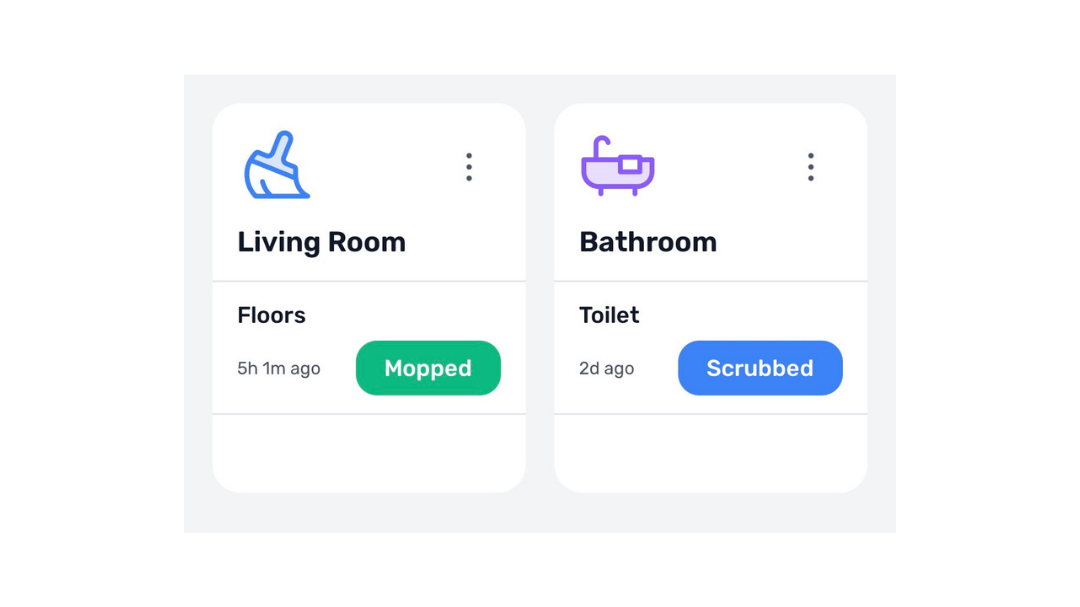
How to set it up
Create a card called Home, or name it after a specific room. Add a tracker for each chore. Give each tracker two states: one for done, one for overdue or pending.
You tap once when you do the thing. Timer resets, state switches.
A few examples to start with:
Start with the one chore that bugs you most when you cannot remember the last time you did it. You do not have to set up everything at once.
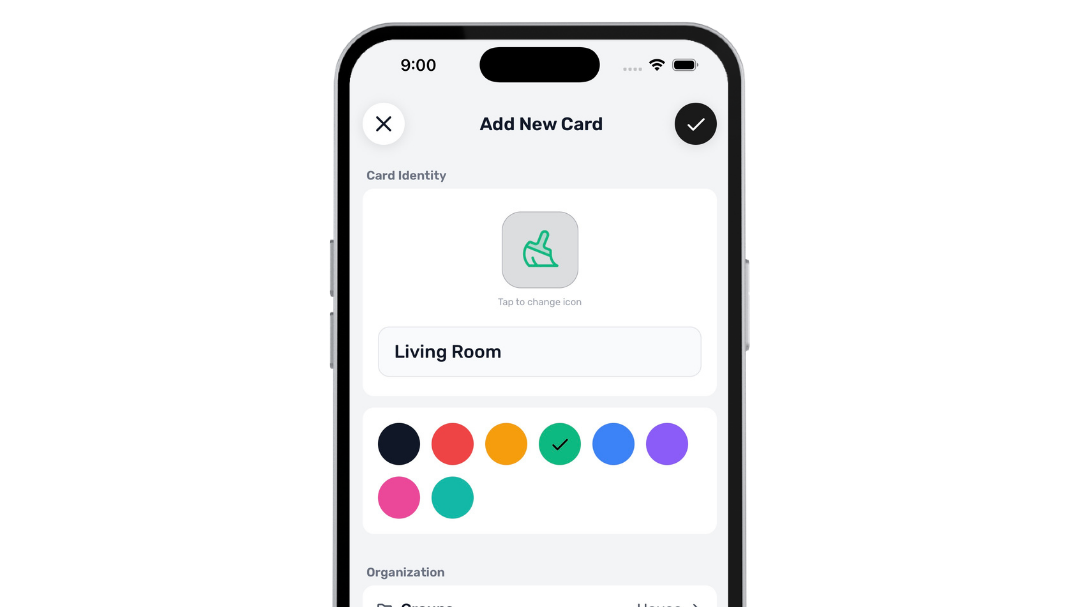
Automation does the thinking
There is an optional automation feature. Once a tracker is set up you can add a time threshold to any state. It switches automatically when that window expires.
Changed the sheets? Set it to flip to Overdue after 7 days. You do not have to think about it anymore. The app just quietly updates in the background.
Sounds small but it changes how the whole thing feels. You stop managing the tracker because it just tells you the truth.
Automation is a premium feature. Set it once per state and you never have to think about it again.
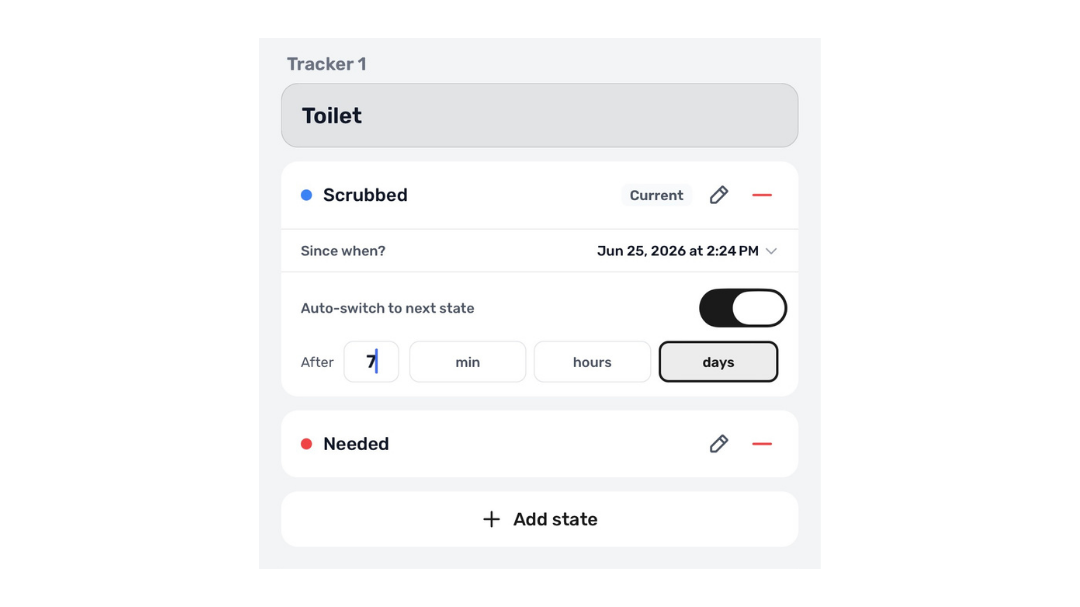
The widget is what makes it passive
Add your Home card to your home screen as a widget. Now every time you pick up your phone you can see what has been sitting in an overdue state the longest. No need to open the app or check anything. You just see it.
You walk past it. Something registers. You do it.
The widget is free. Tapping buttons directly from it to cycle states is a premium feature, but even without that, just having it visible on your home screen does most of the work.
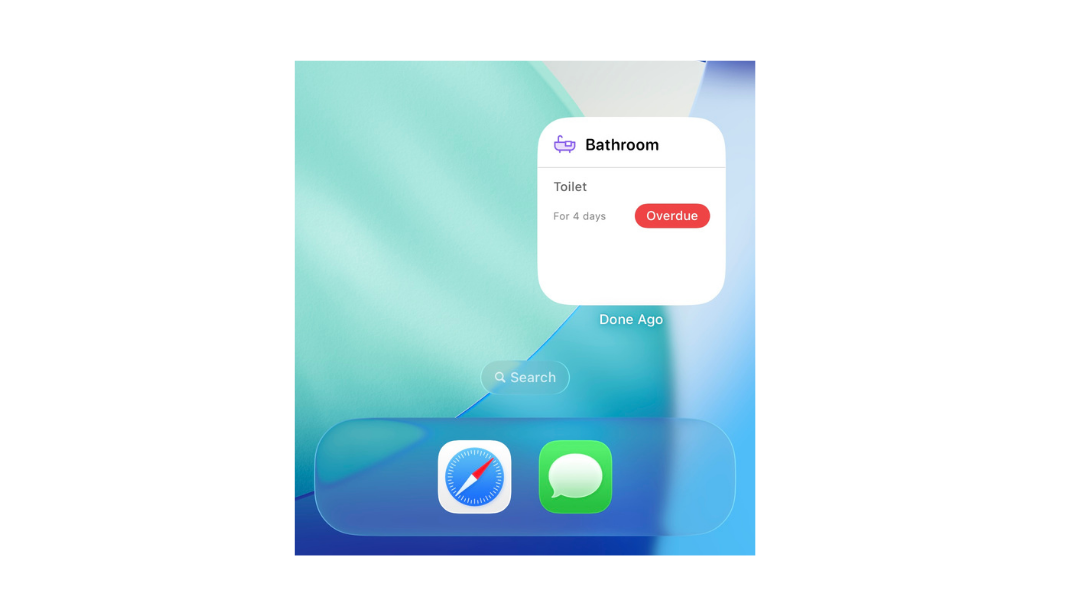
Widgets update instantly. Tap once from your home screen and the state resets.
What actually changes
Your mornings used to start with a mental audit. What did you clean last week? What actually needs doing? Five minutes of trying to remember before you could even start.
With DoneAgo you just glance at the widget. Floors: 9 days ago. Sheets: 8 days ago. Bathroom: 3 days ago. Counter: yesterday.
That is enough. You know exactly where to start without any of the guessing.